LO 2 • DEVELOPMENT
Description
After following a bootcamp about forms by my development teacher, I had decided to make one and implement it in my portfolio as I already had a design for it:

I wanted to implement one in my portfolio in case I wanted to reuse it as an actual portfolio to find clients outside of school.
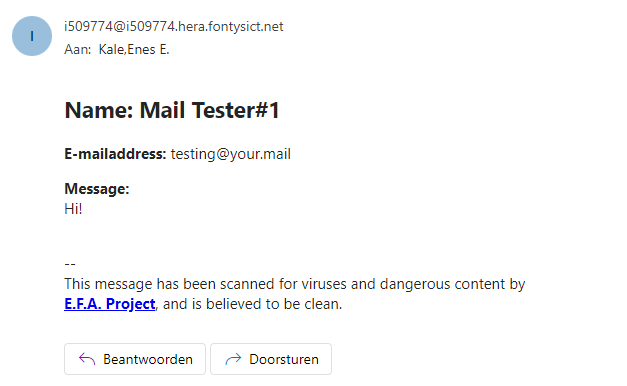
By using PHP I made a working form that can actually send e-mails to myself by filling in the form and submitting it using the “Send” button. You can view the PHP code here.
This is the result after submitting a message:
Reflection
This was the first time I worked with PHP to this extent, and I actually really enjoyed it. It's very interesting, however it does seem like it won't get used that often or a lot, but I might be wrong. It can be annoying here and there though, but I guess that goes for every programming language.
In general, it was pretty easy to do and very manageable too, mainly due to the fact that I followed my teachers bootcamp about it which made me understand how PHP forms worked and how you could implement it, so it did not take me too long to figure it out how I do it in my portfolio.
Description
During one of the bootcamps from my development teacher, we had one about arrays, sorting and listener events. This was to make us more familiar with javascript and arrays which was actually VERY helpful.
However, the bootcamp only showed how you could call an array, parts of it, or specific. But it didn't teach how you could sort one and then make it fill divs for example.
The challenge was to make show an image by displaying a sorted, large array. The array consisted of colour codes and a number assigning those color codes. And it was extra points if you made it show by pressing a button.
You can view the website with the pixel puzzle here. By viewing the page source (pressing CTRL + U) on the website you can view the HTML code. It was very satisfying seeing the image pop-up after clicking the button.
You can view the javascript code here.
Reflection
This was fun but quite challenging, however it did seem doable as we first learned on how arrays work and how to target them or specific items in them. But I didn't know how to sort them yet, so I was struggling quite a bit.
But after doing some research online and using a co-pilot as guidance it didn't take long to get a properly working sort function in javascript that I genuinely understood. After that it was just making a grid and connecting the array to make the 'pixels' appear, which then depict an image. This was very satisfying to see and also helped me understand Javascript better in general. I would recommend to do this assignment actually if you don't have a lot of knowledge on javascript. For the next time I would try to do it without the help of a co-pilot to make it more challenging.
Description
In my first javascript bootcamp my development teacher gave us the assignment to make a counter using javascript by yourself. This sounded like an easy exercise and it kind of was. After doing a bit of research on how to get 'time' in javascript and finding examples that are similar, it didn't take long to make my own version of it.
You can view the javascript code here.
And you can view the whole website here. By viewing the page source (pressing CTRL + U) on the website you can view the HTML code.
Reflection
This was a very nice learning experience, especially since it was my first time in a while to work with javascript and it helped me refresh my memories of it. It also helped me understand how you can use real time to alter an element on a website which is pretty cool. However, in the beginning I struggled to find a way to only show seconds, as I had been doing research on already existing timers. But by doing more research on it you start to understand how it works, so I found a way to only count the seconds after a little while.
I would say this exercise is good because it makes you do your own research on javascript. And you can't really just copy & paste it from existing code as you still have to modify it yourself. So, you need to understand how it works. If I had to do it all over again with the same knowledge as then, I would have utilized a co-pilot to speed up the process. Of course using it as guidance instead of generating direct answers.
Description
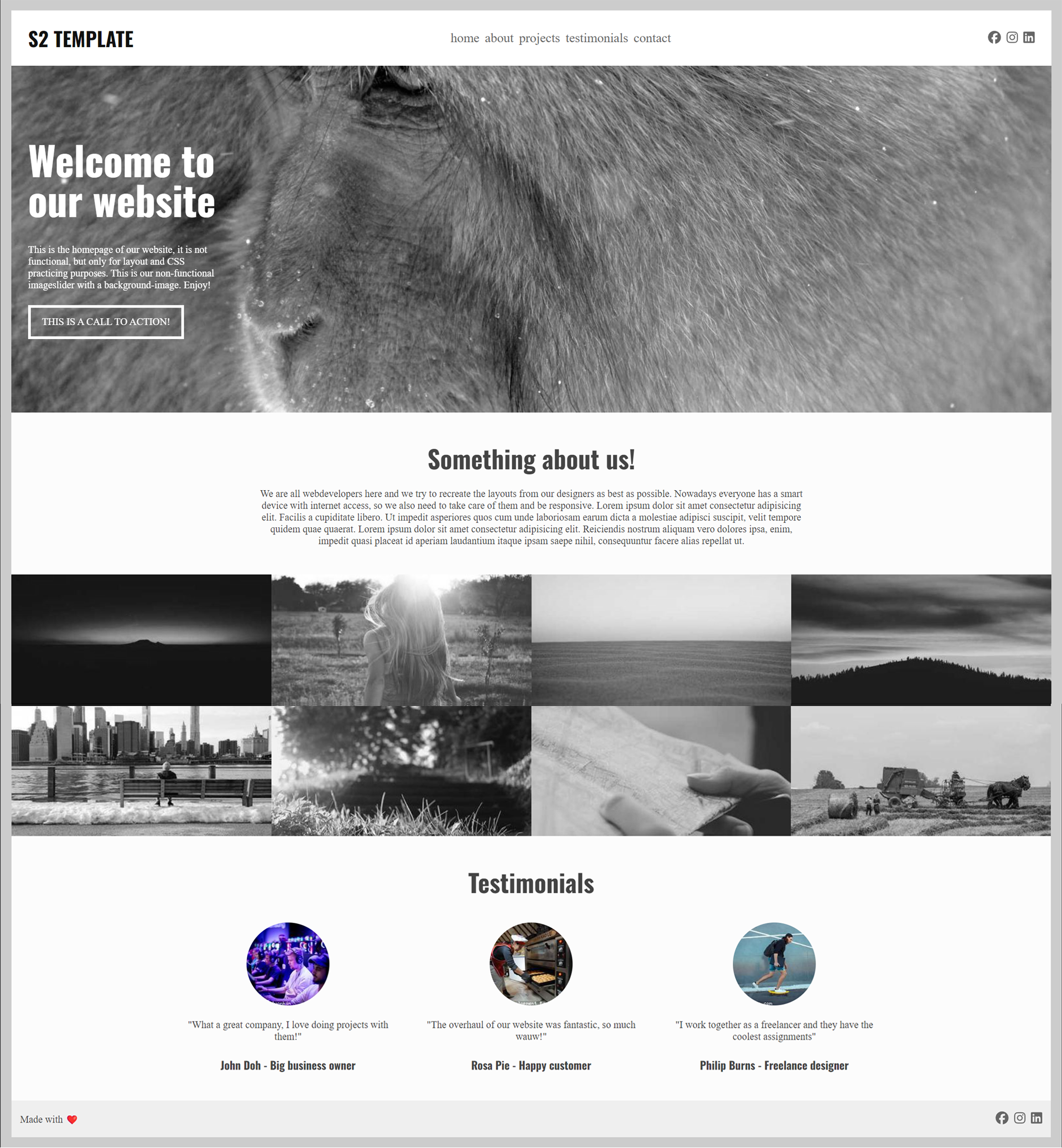
One of the development bootcamps in the beginning of the semester was about CSS and HTML as well, the assignment was about recreating a website/template by yourself.
You can view what I had managed to make here.
By viewing the page source (pressing CTRL + U) on the website you can view the HTML code. Or you can inspect element (CTRL + SHIFT + I) to view the HTML and CSS.
P.S. the pictures used are randomised cat pictures, so each time you refresh a new cat picture will appear.
Reflection
I actually struggled with this as it had been quite a while since I had worked with HTML and CSS and I had forgotten quite a lot. But I still tried my hardest with the stuff I knew and of course using the internet as a helping hand as well.
Unfortunately, I didn't finish it as I was stuck on a part and didn't find it worth finishing anymore. I do regret this decision as it would've actually made me learn more earlier in the semester rather than months later. If I could change one thing about how I did this bootcamp challenge, it would be actually finishing it.
Links:
Link to the GIT: GIT
Link to see website (SEE CONTEXT FIRST): website
Context
After our sprint "Media Campaign", we had to develop the website and implement an easter egg in it. I made the first version of the header, the introduction, and the 'lesweek' section. I have also helped to ideate the easter egg. I added the custom cursor code to the website that gets activated if you find one of the easter eggs. This sprint was designed to improve our coding abilities and to learn working with a team on GIT.
Reflection
This was a very nice learning experience. I learned a lot about GIT and I have also gotten better at coding with HTML and CSS. However, we did start with two people which I preferred more than three. Because it's a small project, too many people make it a bit complicated. Other than that everything went smoothly.